
Guideline: Critical internal communication via screens
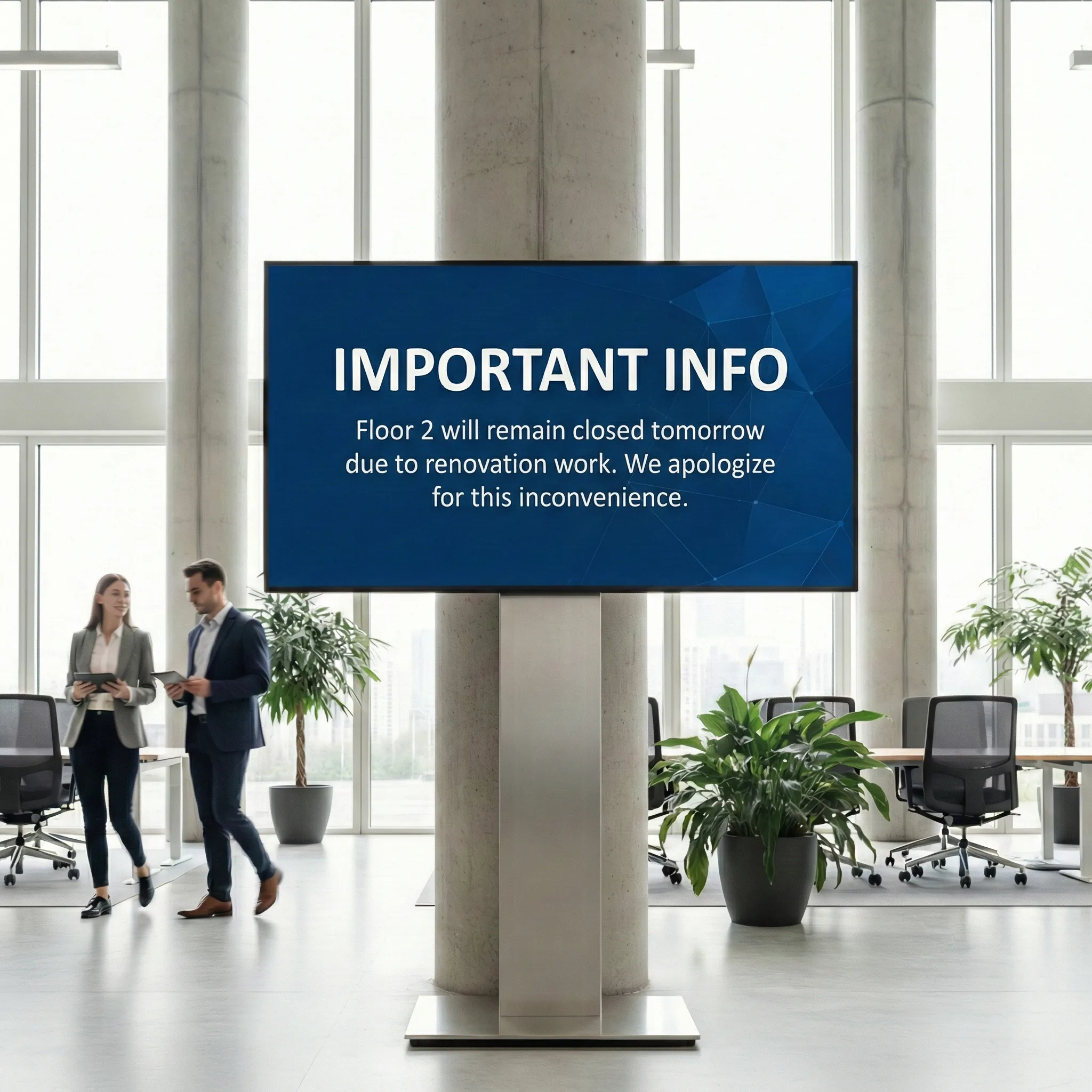
Critical internal information must be communicated quickly, clearly and for everyone to see. Digital screens have established themselves as an effective tool for HR and internal communication. The article shows which content is suitable for timely HR communication, how it should be formulated on screens and what is important when designing and prioritizing.
Critical internal communication via screens
A guide to HR and internal communications
In many companies, internal communication is now highly fragmented: e-mail, chat, intranet, meetings. Especially with time-critical information This often means that employees receive information too late or not at all. Digital screens in companies play a special role here. They are visible, not optional and can also reach employees without a fixed PC workstation. Used correctly, they are a reliable channel for critical and timely HR information.
This guide shows Which content belongs on HR screenshow they should be formulated and where there are clear limits.
Why screens are suitable for critical HR information
Screens work differently than traditional communication channels. They are not a place for discussion or explanation, but for orientation.
Its strength lies in the fact that it:
- Reach many people at the same time
- work independently of the device
- Generate attention without being actively retrieved
- are particularly suitable for short, clear information
This is a decisive advantage, especially when it comes to short-term or safety-relevant information.
What is meant by “critical & timely information”
Critical does not automatically mean “crisis.”
What is meant is information that relate to the current working day or immediate work environment and must therefore be noticed quickly.
Typical examples:
- short-term organizational changes
- Information about IT systems
- Security or building topics
- Management or CEO information with current relevance
1. CEO and management announcements
CEO messages on screens should factual and calm be formulated. The screen does not replace a townhall meeting or email, but announces information or provides an initial classification.
Suitable use cases:
- short term management decisions
- Information about upcoming changes
- Classification of current developments
It is important that screens Do not transport any details, but refer to further information.
examples:
- “Important information from the CEO — please note”
- “Message from the Management Board”
- “Latest Management Update”
2. Organizational changes in everyday working life
Everything that Daily routine directly affected, belongs on the screen.
These include:
- Site closures or restrictions
- Changed opening hours
- short-term adjustments to work organization
Examples of suitable screen texts:
- “Restricted operation at the site today from 14:00. ”
- “Please prefer to work from home today. ”
- “Short-term organizational adjustment. ”
The information should clear, neutral and without justification be formulated.
3. IT and system information
IT information is one of the most common critical content on screens. At the same time, there is a risk of becoming too technical.
Only the following points should be communicated on screens:
- Status (e.g. maintenance, fault)
- rough period
- Note that a solution is being worked on
examples:
- “Scheduled system maintenance today starting at 18:00. ”
- “Current IT malfunction — the team is working on the solution. ”
- “Email system currently available to a limited extent. ”
Technical details do not belong on the screen.
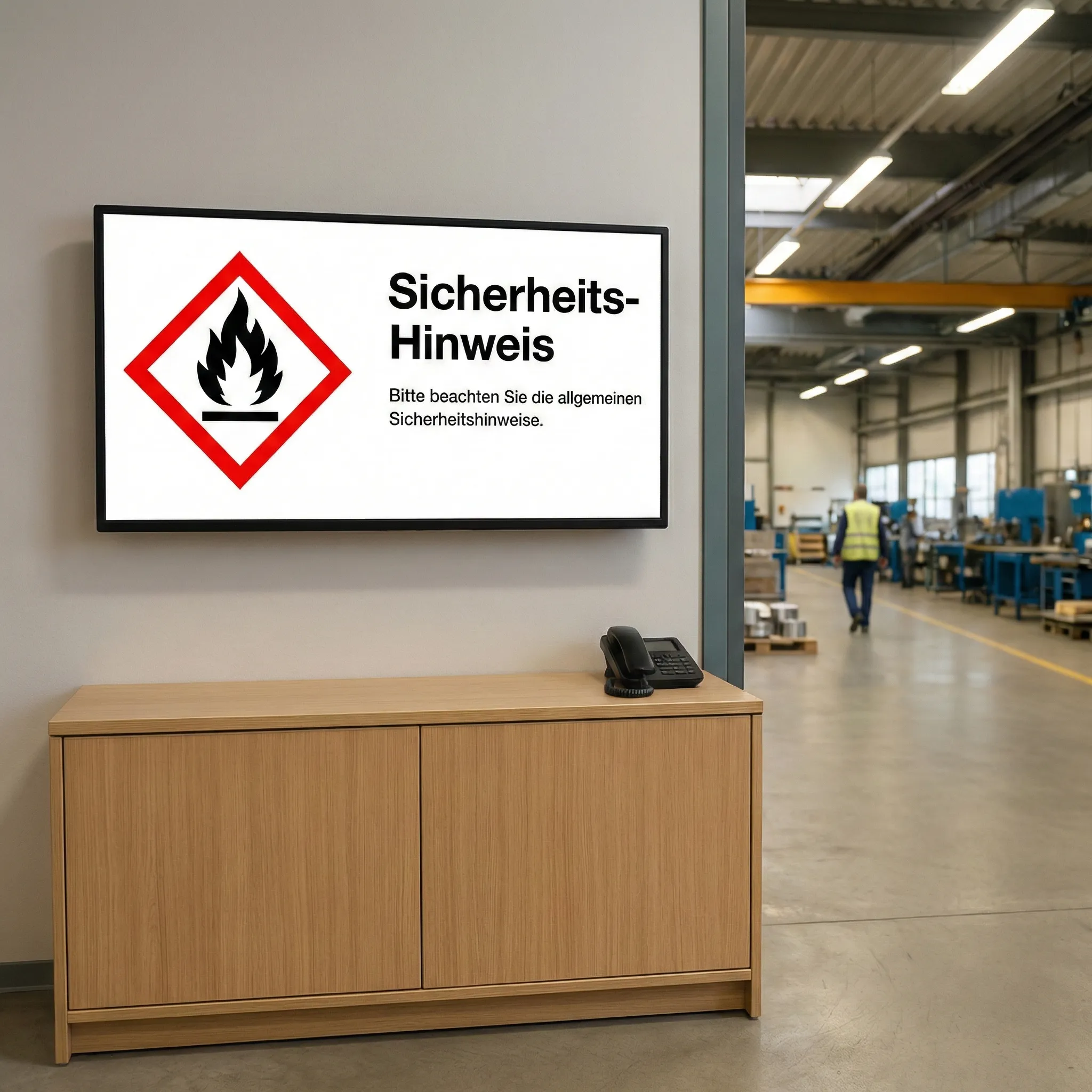
4. Safety and emergency information
Screens are an important part of security communication, particularly at larger locations.
Typical content:
- Evacuation instructions
- safety exercises
- preventive advice
examples:
- “Please remain calm and follow the instructions. ”
- “Security exercise today at 15:00. ”
- “Please keep escape routes clear. ”
The following applies here: clear language, no additional information, no distracting pictures.
5. Ad-hoc information with daily relevance
Not all information is relevant in the long term. Many tips are only valid for a day or a few hours.
examples:
- “Important note for today's working day. ”
- “Short-term change in daily routine. ”
- “Current information — valid for today. ”
Such content should be consistently removed from the screen loop after it expires.
Design principles for critical HR screens
Regardless of the content, there are a few basic rules:
- One message per slide
- Short texts (up to 3-4 lines)
- Clear visual hierarchy
- Calm colors, high contrast
- No icons or animations for critical content
Screens are not a substitute for detailed communication, but a signal medium.
What doesn't belong on critical HR screens
- long explanations
- Reviews or emotions
- several topics on one slide
- Humor or irony
- Discussions or opinions
Everything that needs to be explained or discussed belongs on other channels.
conclusion
Good internal communication is particularly evident when information fast, clear and reliable aCome in. Correctly used HR screens provide orientation, reduce uncertainty and strengthen trust — especially in situations where time plays a role. Less text, clear messages and consistent prioritization are crucial.
Emphasize your product's unique features or benefits to differentiate it from competitors
In nec dictum adipiscing pharetra enim etiam scelerisque dolor purus ipsum egestas cursus vulputate arcu egestas ut eu sed mollis consectetur mattis pharetra curabitur et maecenas in mattis fames consectetur ipsum quis risus mauris aliquam ornare nisl purus at ipsum nulla accumsan consectetur vestibulum suspendisse aliquam condimentum scelerisque lacinia pellentesque vestibulum condimentum turpis ligula pharetra dictum sapien facilisis sapien at sagittis et cursus congue.
- Pharetra curabitur et maecenas in mattis fames consectetur ipsum quis risus.
- Justo urna nisi auctor consequat consectetur dolor lectus blandit.
- Eget egestas volutpat lacinia vestibulum vitae mattis hendrerit.
- Ornare elit odio tellus orci bibendum dictum id sem congue enim amet diam.
Incorporate statistics or specific numbers to highlight the effectiveness or popularity of your offering
Convallis pellentesque ullamcorper sapien sed tristique fermentum proin amet quam tincidunt feugiat vitae neque quisque odio ut pellentesque ac mauris eget lectus. Pretium arcu turpis lacus sapien sit at eu sapien duis magna nunc nibh nam non ut nibh ultrices ultrices elementum egestas enim nisl sed cursus pellentesque sit dignissim enim euismod sit et convallis sed pelis viverra quam at nisl sit pharetra enim nisl nec vestibulum posuere in volutpat sed blandit neque risus.
Use time-sensitive language to encourage immediate action, such as "Limited Time Offer
Feugiat vitae neque quisque odio ut pellentesque ac mauris eget lectus. Pretium arcu turpis lacus sapien sit at eu sapien duis magna nunc nibh nam non ut nibh ultrices ultrices elementum egestas enim nisl sed cursus pellentesque sit dignissim enim euismod sit et convallis sed pelis viverra quam at nisl sit pharetra enim nisl nec vestibulum posuere in volutpat sed blandit neque risus.
- Pharetra curabitur et maecenas in mattis fames consectetur ipsum quis risus.
- Justo urna nisi auctor consequat consectetur dolor lectus blandit.
- Eget egestas volutpat lacinia vestibulum vitae mattis hendrerit.
- Ornare elit odio tellus orci bibendum dictum id sem congue enim amet diam.
Address customer pain points directly by showing how your product solves their problems
Feugiat vitae neque quisque odio ut pellentesque ac mauris eget lectus. Pretium arcu turpis lacus sapien sit at eu sapien duis magna nunc nibh nam non ut nibh ultrices ultrices elementum egestas enim nisl sed cursus pellentesque sit dignissim enim euismod sit et convallis sed pelis viverra quam at nisl sit pharetra enim nisl nec vestibulum posuere in volutpat sed blandit neque risus.
Vel etiam vel amet aenean eget in habitasse nunc duis tellus sem turpis risus aliquam ac volutpat tellus eu faucibus ullamcorper.
Tailor titles to your ideal customer segment using phrases like "Designed for Busy Professionals
Sed pretium id nibh id sit felis vitae volutpat volutpat adipiscing at sodales neque lectus mi phasellus commodo at elit suspendisse ornare faucibus lectus purus viverra in nec aliquet commodo et sed sed nisi tempor mi pellentesque arcu viverra pretium duis enim vulputate dignissim etiam ultrices vitae neque urna proin nibh diam turpis augue lacus.