
Internal communication without a fixed PC workstation: How to reach all employees
Not all employees have a fixed PC workstation. This article shows which channels companies can use to still reliably convey information — and why visibility is crucial.
1. The typical problem
In many companies, a large part of the workforce works without fixed PC workstation: in production, in warehouses, in service, in branches or on the go.
Nevertheless, internal information is often distributed via channels dedicated to exactly these employees not reach or only reach it to a limited extent.
The consequences are well known:
- important information arrives late
- Employees feel less informed
- different levels of knowledge in the team
The problem is rarely a lack of communication — but lack of access.
2. Why traditional channels are reaching their limits here
Typical communication channels are designed for office workstations:
- email: requires personal access and time
- Intranet: requires active use
- Newsletters: are often read outside working hours
- Meetings: do not reach all layers
This creates systematic information gaps, particularly in shift operations or decentralized organizations.
3. The decisive question
The central question is not: “How do we inform our employees? ”
But:
“How do we achieve them in everyday working life — without additional effort? ” Internal communication only works if it accessible, visible and repeatable is.
4. Which channels employees really reach without a PC
Notices & print
advantages: simple, well-known
Disadvantages: quickly outdated, high maintenance costs
➡️ Only conditionally suitable for current information.
Mobile solutions
advantages: directly, individually
Disadvantages: data protection, private devices, acceptance
➡️ Don't work equally well in all companies.
Meetings & handovers
advantages: personal, explanatory
Disadvantages: time-consuming, not scalable
➡️ Good for organization, not for regular updates.
Visual channels (info screens)
advantages:
- no login required
- visible at any time
- Reach all layers
- centrally controllable
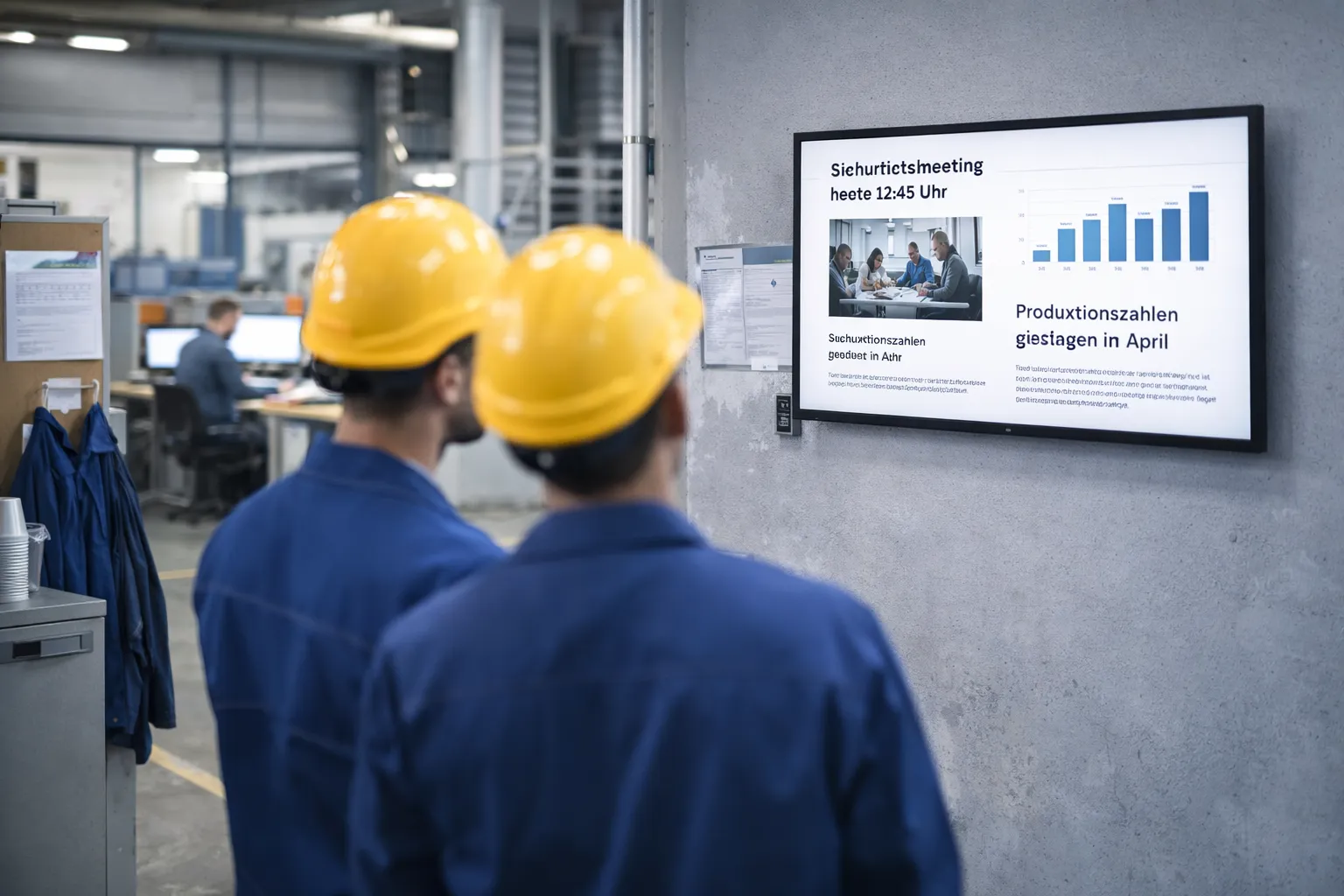
➡️ Particularly suitable for employees without a fixed PC workstation.
5. Why visibility makes the difference
Information that:
- Be seen passing by
- appear multiple times
- are present at fixed locations
are perceived significantly better than content that must be actively searched for.
This is a decisive factor, especially for employees without a PC.
6. Practical example (simplified)
A company with production and office areas uses e-mail for administrative content and supplements this with information screens in break rooms and entrance areas. Important information is visible to everyone — regardless of the workplace.
7. Conclusion
Internal communication without a fixed PC workstation requires different approaches. Companies that visibly integrate information into everyday work reach employees more reliably and create a uniform level of information — across all areas. Would you like to find out more about using info screens? Now Book a 15-minute live demo and find out whether LobbySpace is right for your project.
Emphasize your product's unique features or benefits to differentiate it from competitors
In nec dictum adipiscing pharetra enim etiam scelerisque dolor purus ipsum egestas cursus vulputate arcu egestas ut eu sed mollis consectetur mattis pharetra curabitur et maecenas in mattis fames consectetur ipsum quis risus mauris aliquam ornare nisl purus at ipsum nulla accumsan consectetur vestibulum suspendisse aliquam condimentum scelerisque lacinia pellentesque vestibulum condimentum turpis ligula pharetra dictum sapien facilisis sapien at sagittis et cursus congue.
- Pharetra curabitur et maecenas in mattis fames consectetur ipsum quis risus.
- Justo urna nisi auctor consequat consectetur dolor lectus blandit.
- Eget egestas volutpat lacinia vestibulum vitae mattis hendrerit.
- Ornare elit odio tellus orci bibendum dictum id sem congue enim amet diam.
Incorporate statistics or specific numbers to highlight the effectiveness or popularity of your offering
Convallis pellentesque ullamcorper sapien sed tristique fermentum proin amet quam tincidunt feugiat vitae neque quisque odio ut pellentesque ac mauris eget lectus. Pretium arcu turpis lacus sapien sit at eu sapien duis magna nunc nibh nam non ut nibh ultrices ultrices elementum egestas enim nisl sed cursus pellentesque sit dignissim enim euismod sit et convallis sed pelis viverra quam at nisl sit pharetra enim nisl nec vestibulum posuere in volutpat sed blandit neque risus.
Use time-sensitive language to encourage immediate action, such as "Limited Time Offer
Feugiat vitae neque quisque odio ut pellentesque ac mauris eget lectus. Pretium arcu turpis lacus sapien sit at eu sapien duis magna nunc nibh nam non ut nibh ultrices ultrices elementum egestas enim nisl sed cursus pellentesque sit dignissim enim euismod sit et convallis sed pelis viverra quam at nisl sit pharetra enim nisl nec vestibulum posuere in volutpat sed blandit neque risus.
- Pharetra curabitur et maecenas in mattis fames consectetur ipsum quis risus.
- Justo urna nisi auctor consequat consectetur dolor lectus blandit.
- Eget egestas volutpat lacinia vestibulum vitae mattis hendrerit.
- Ornare elit odio tellus orci bibendum dictum id sem congue enim amet diam.
Address customer pain points directly by showing how your product solves their problems
Feugiat vitae neque quisque odio ut pellentesque ac mauris eget lectus. Pretium arcu turpis lacus sapien sit at eu sapien duis magna nunc nibh nam non ut nibh ultrices ultrices elementum egestas enim nisl sed cursus pellentesque sit dignissim enim euismod sit et convallis sed pelis viverra quam at nisl sit pharetra enim nisl nec vestibulum posuere in volutpat sed blandit neque risus.
Vel etiam vel amet aenean eget in habitasse nunc duis tellus sem turpis risus aliquam ac volutpat tellus eu faucibus ullamcorper.
Tailor titles to your ideal customer segment using phrases like "Designed for Busy Professionals
Sed pretium id nibh id sit felis vitae volutpat volutpat adipiscing at sodales neque lectus mi phasellus commodo at elit suspendisse ornare faucibus lectus purus viverra in nec aliquet commodo et sed sed nisi tempor mi pellentesque arcu viverra pretium duis enim vulputate dignissim etiam ultrices vitae neque urna proin nibh diam turpis augue lacus.